UiChemy users
5 star rating Rated 4.9 out of 5 Trusted by 90,000+ Figma designers
Figma to Gutenberg

Your ucwr figma mark Figma Design
As Native ucwr gutenberg core Gutenberg Blocks

Bring your Figma frame and UiChemy builds it into Gutenberg with real, editable blocks, headings, columns, buttons, all native. It's plain WordPress with no extra block plugin to install, and you go live in 5 clicks. Everything stays yours to change in the block editor.

Fully Editable Gutenberg Blocks Editable, Not Exported HTML Responsive On Every Screen Native Core Blocks Colors and Fonts Synced Site-Wide
UiChemy Figma to Gutenberg walkthrough
Real Blocks, Fully Editable

Your Design Lands As Blocks, Not A Screenshot

Every layer becomes a native Gutenberg block with clean markup, ready to change in the editor you already know.

  • Native Gutenberg blocks, editable in the WordPress block editor.
  • Not exported HTML, not a flat image. A real, native page.
  • Standards-based block markup, no third-party page builder required.
  • Clean, semantic structure, ready to publish or refine.
WordPress block editor
Your converted page, native Gutenberg blocks
Real blocks, not a screenshot

See The Same Frame As Live Gutenberg Blocks

Your Figma frame on the left, the same layout as native Gutenberg blocks on the right. Click, restyle, and rearrange every block, never a flat image or locked shortcode.

Figma design
Live in Gutenberg
You own the blocks

You Own Every Block On The Finished Page

Every layer lands as a native Gutenberg block, so nothing is locked. Change any part of it in the block editor.

Edit visually

Drag and restyle blocks in the block editor like any native page.

Edit in code

Real HTML and clean block markup when you want it exact.

Reuse anywhere

Save any section as a synced pattern or reusable block.

How UiChemy Works

From Figma Frame To A
Live Gutenberg Page In Five Steps

1

Open Your Figma Frame In UiChemy

Launch the UiChemy plugin right inside Figma and pick the frame, or the full page, you want to turn into WordPress.

2

Connect Your WordPress Site In One Click

Paste one Connection Link to pair UiChemy with your site. You do this once, and every conversion after remembers it.

3

Choose Your Conversion And Motion Options

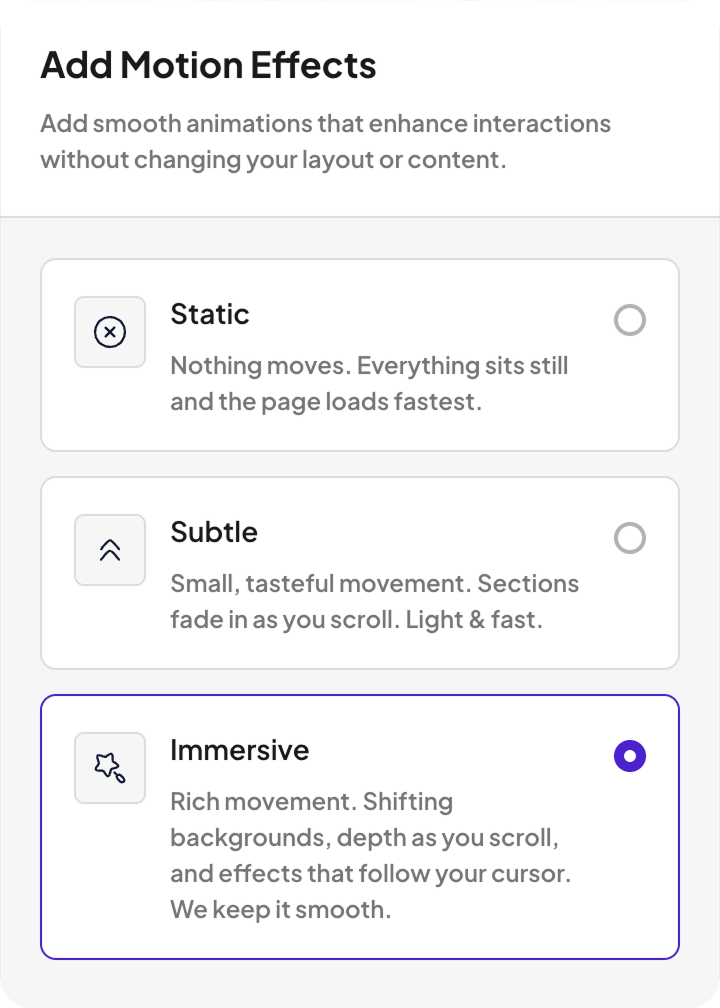
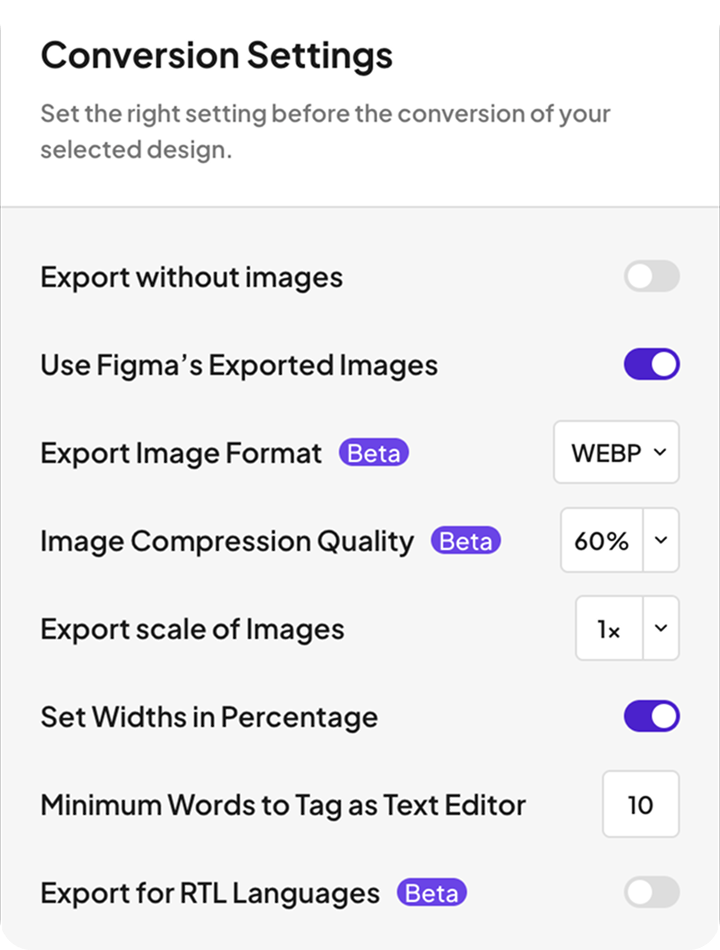
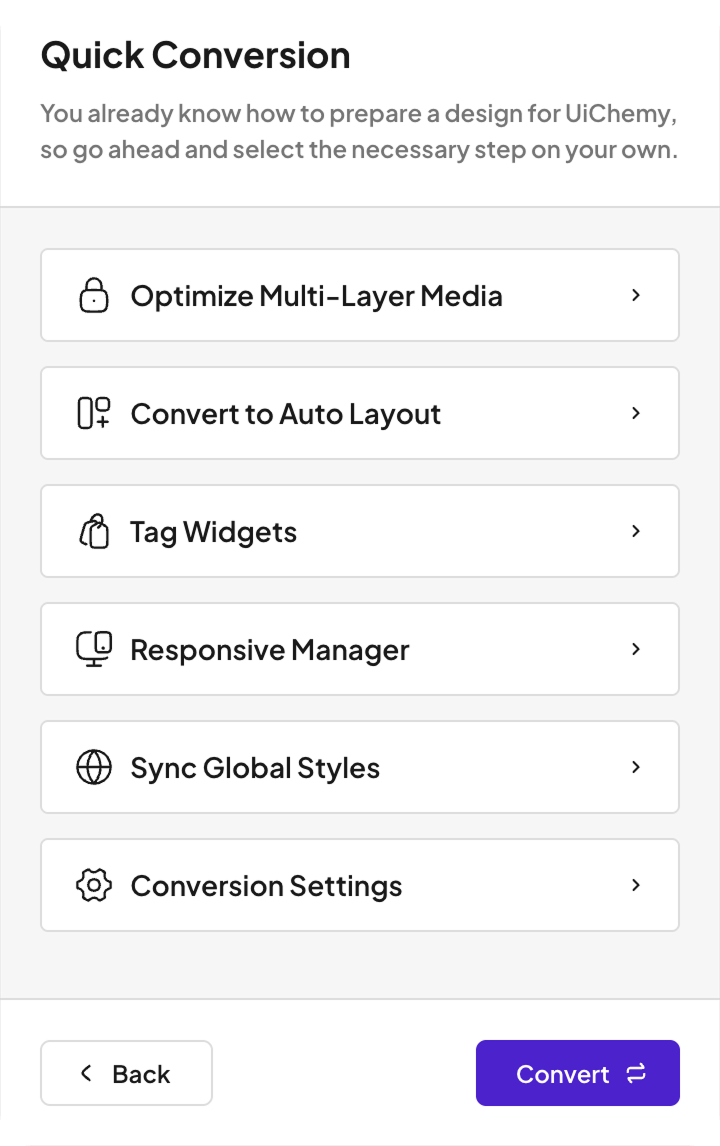
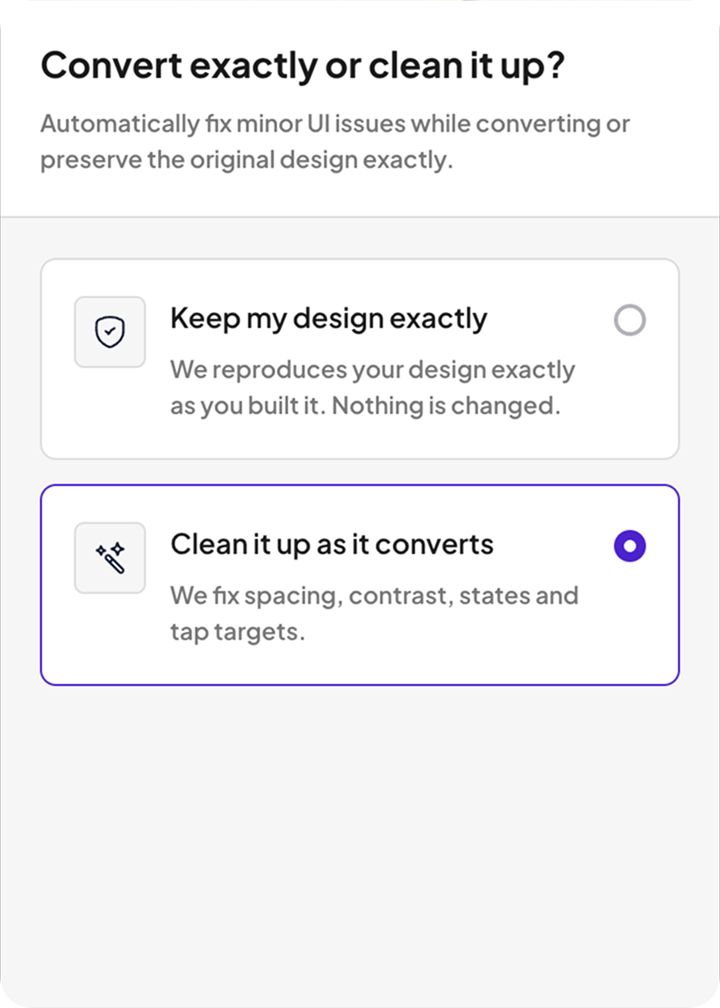
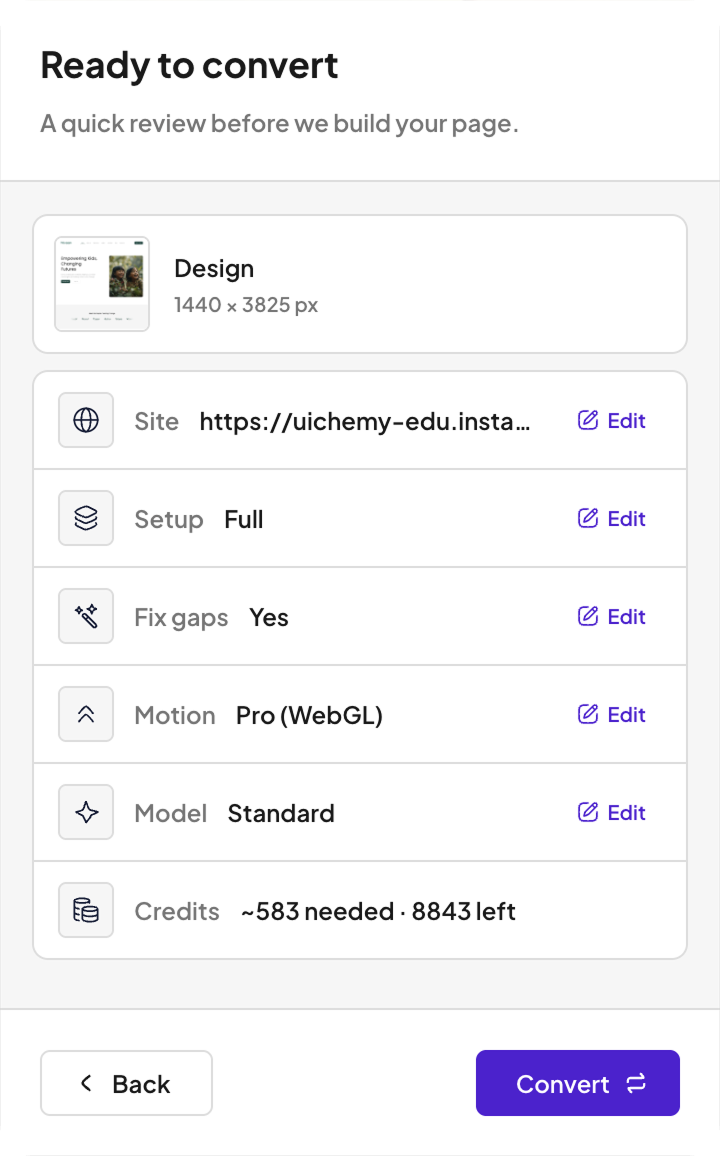
Full site or a single page, keep your design exactly as drawn or let UiChemy fix the spacing and gaps, and pick how much motion you want, off, subtle, or immersive.

4

Let UiChemy Build Your Whole Page

Spend your Credits and UiChemy rebuilds every layer as native, editable widgets, checked against your design, never a flat export.

5

Preview Your Live Page, Then Publish It

See the finished page on your own site, then publish it or keep editing in Elementor, Gutenberg, or Bricks.

Two Ways To Reach Gutenberg

Turn Your Figma Design Into Gutenberg, Your Way

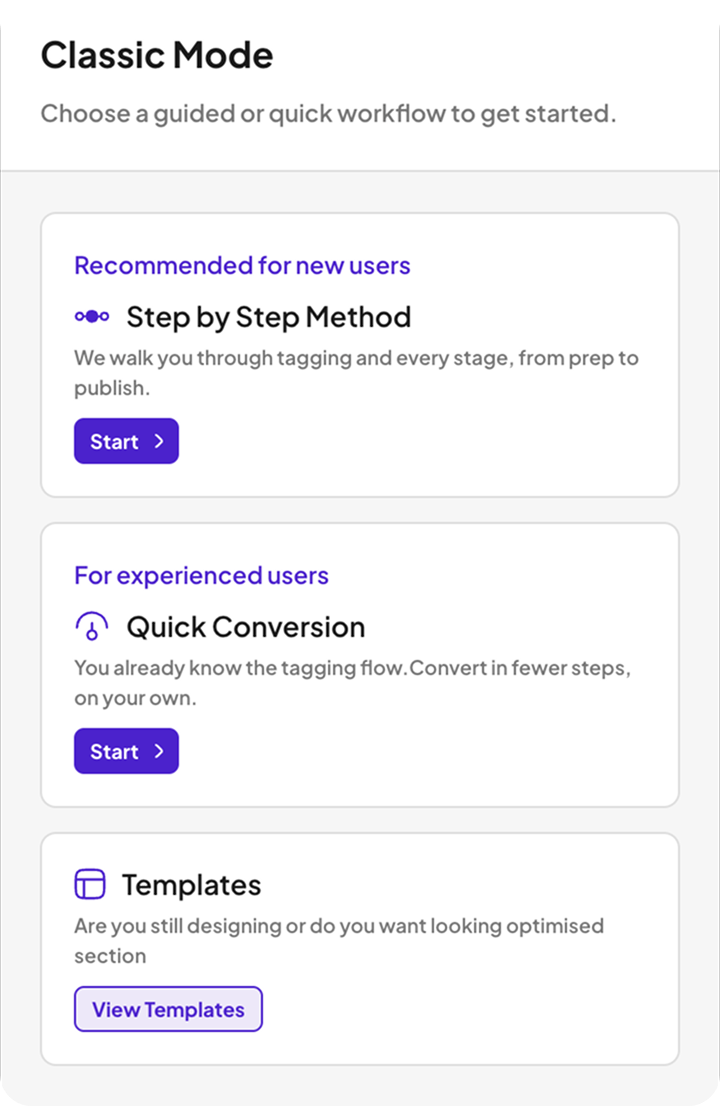
Map every Figma layer to a block by hand in Classic Mode for pixel control, with AI Express automation rolling out to Gutenberg next.
ucwr classic 3 ucwr classic 2 ucwr classic 1
Live now

Classic Mode For Pixel-Exact Control

Tag your layers and we build native blocks with pixel control, across all three builders today.

Explore Classic Mode
ucwr ai 3 ucwr ai 2 ucwr ai 1
Coming next
Coming next

AI Express Mode, Hands-Free Conversion

UiChemy reads your frame and builds the whole page for you to review. On Elementor today, Gutenberg next.

See How UiChemy Converts
Trusted By Working Designers

90,000+ Designers Trust Us To Ship Their Work, Not Rebuild It

Rated 4.9 out of 5 by 90,000+ Figma designers, with 1,300+ ready templates and pages that land 95% responsive out of the box.

Support

We Help You With Real Docs, Videos, And People

Search the docs, watch a walkthrough, or ask our team. Real answers from people who built the product.

Friendly support

Talk to a real person who knows the product and wants you to win.

Documentation

Clear, searchable docs for every feature and workflow.

Video tutorials

Follow along with step-by-step videos on every core feature.

Active community

Join 90,000+ designers sharing tips and templates.

Turn Your Next Figma Frame Into Gutenberg

Connect your design and get a real, editable Gutenberg page in minutes. No manual rebuild, no locked export.

Get Started
FAQ

Figma To Gutenberg, Answered

Yes. Colors, type, and spacing carry over into the blocks, layout holds across breakpoints, and the fixer logs every change it makes so nothing happens silently.

Yes. Because the output is real Gutenberg blocks, you can select any section and save it as a synced pattern or reusable block like any other native content.

Design in Figma, then push with the plugin or a template JSON. It converts into native Gutenberg blocks.

Everything comes in as native widgets, blocks, or elements you can restyle, rearrange, and rewrite, never a flat image or locked code.

No. AI Express Mode needs zero code, and code editing is there only if you want it.

Colors, type, spacing, and motion carry over, layout holds across breakpoints, and the fixer logs every change.

Any current WordPress with the block editor active. There is no separate block builder to buy or configure, so the default editor is all you need.

No. The page is plain Gutenberg, so you edit it in the standard block editor. No Elementor, Bricks, or third-party block pack required.

You generate one Connection Link in your UiChemy dashboard and paste it into the Figma plugin. That is the whole setup.

Works on most WordPress hosts. If Wordfence or a managed host blocks it, our docs and support get you connected.

Yes. Local and staging sites connect the same way, with a Connection Link.

Classic Mode conversions to Gutenberg cost almost nothing per run, and your credit pool refills every month. You only spend on completed conversions, never failed ones.

Yes. Everything you convert lives on your own WordPress site and stays yours whether or not you keep the plan.

One unit per conversion. AI Express costs more, Classic almost nothing, and your pool refills every month.

No. Credits are spent on completed conversions, so a failed attempt does not drain your balance.

Native WordPress core blocks. The output is plain Gutenberg with heading, column, group, and button blocks, so nothing extra has to stay installed for the page to work.

Yes. The blocks are standard core blocks, so they drop into a block theme, FSE templates, and the Site Editor the same way blocks you add by hand do.

Not yet. AI Express Mode converts into Elementor today, with Gutenberg next. Classic Mode already converts your Figma design into native Gutenberg blocks right now.

No. The outcome is plain WordPress Gutenberg, nothing extra to install.

Both. One runs in Figma to read your design, one runs in WordPress to build it.

AI Express builds into Elementor today, with Gutenberg and Bricks next. Classic Mode covers all three now.

No spam guarantee

We Send Figma Tips Worth Opening, And Nothing Else

Figma-to-WordPress tips, feature drops, and teardowns. One useful email, no spam, unsubscribe in one click.

Convert from anything you design in