

Cleaner workflows, better control, and practical fixes, here’s what we’ve shipped in the latest update 👇🏻
- Bricks – WordPress Menu & Nav Menu Tagging Support
Now you can directly tag navigation menus in Figma, and UiChemy will automatically convert them into WordPress Navigation Menu elements. No need to remove and manually drag-and-drop menus after export. - Elementor: Button Auto Tagging
Just like containers, headings, and images, button layouts now get auto-tagged. If you name layers like Button, Btn, div-btn, or div-button, UiChemy will automatically convert them into button widgets.

- Educational Figma File Released
We published a dedicated Figma file covering the most common design issues and how to fix them. From fixing grouped layers to optimizing media assets, flattening vectors, handling absolute positions, and more, step-by-step examples with screenshots make your workflow cleaner and export-ready.Topics covered include:
- Fix Incorrectly Grouped Layers
- Optimise Media Assets
- Flatten Vector Layers
- Crop Overflowing Images
- Use Container Borders Instead of Lines
- Convert Shapes to PNG/Container
- Handle Absolute Positioned Elements
- Fix Overflowing Sections
- Remove Fixed Text Heights
- Responsive Manager, Reimagined
The new Responsive Manager comes with a redesigned interface and improved workflow.- Static & Range Font Sizes: Easily manage responsive typography with px values or percentage scaling.
- Laptop Breakpoint: Now supported.

- Automatic Value Detection: UiChemy scans your Figma file and lists all font sizes, line heights, paddings, and gaps, saving manual effort.
- Sorting Support: Sort values by font size or usage frequency for better consistency.

- Smarter Global Styles Sync
You can now define global container widths for all breakpoints, not just desktop. Whether widescreen, laptop, tablet, or mobile, your layouts stay consistent across every device.

All these updates are live and ready for you. Just update to the latest version and explore.
For all the changes, Check out the complete changelog here.
📈 — What’s Next at UiChemy?
We know you’ve been waiting for this, here’s what’s next on our roadmap:
- UiChemy Figma to Bricks & Gutenberg Plugins
We’re bringing all the goodness of UiChemy 4.0 (the redesigned plugin with step-by-step workflows) into Bricks and Gutenberg. Expect smoother conversions and broader support, with Kadence, Spectra, and Gutenberg Core Blocks, alongside our existing support for Nexter Blocks. - UiChemy Education Course
We’re working on a structured learning course designed to help you master Figma-to-WordPress workflows with UiChemy. Perfect for new users and teams who want to refine their process.
That’s what’s lined up next, and we can’t wait for you to try them.
🔥— Feature Spotlight
Smarter Conversions, Less Guesswork

We introduced real-time responsive preview in UiChemy. As you adjust layouts or change screen sizes, you can instantly see how your design will adapt, no need to re-export or re-click anything. It’s all about building with confidence, faster.
Instead of guessing what to do next, you’ll now move through each stage step by step, from prepping your Figma file, tagging widgets, setting up responsiveness, to syncing global styles.
This makes the whole process smoother, easier to follow, and especially helpful if you’re new to UiChemy or want more control while exporting.
No more skipping steps. No more confusion. Just a clear path from design to Elementor.
🎥 — Learn with the Experts
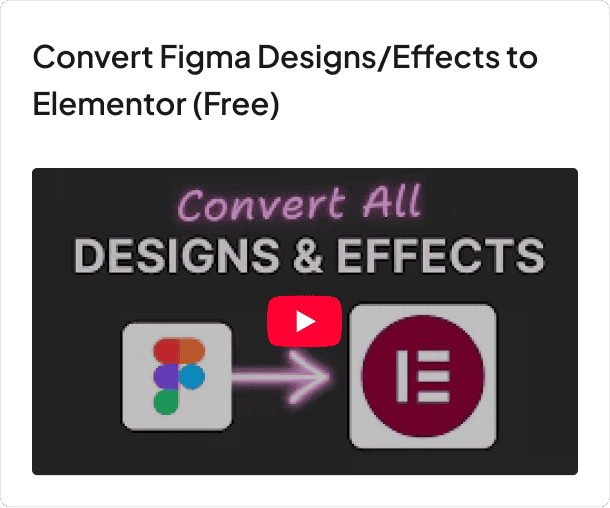
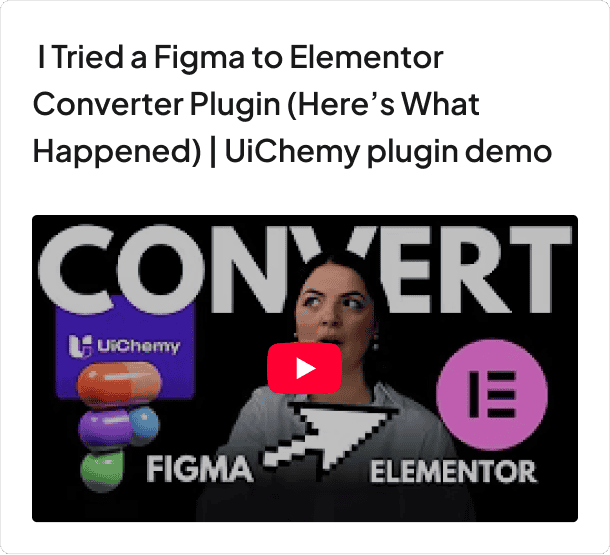
We’ve got something special for you this month, fresh educational videos on UiChemy.

📰 — Figma & Tech Bytes
- Figma Draw now includes 10 new scatter brushes, enabling users to add dimension with shadows and stippling effects for more detailed illustrations.
- Hover to View Full Names in Pickers: Figma now lets users hover over shortened variable and style names in pickers to see the full name.
- More AI-Powered Image Editing Options: Figma has expanded its AI editing features, allowing users to remove backgrounds or boost resolution for up to 25 images at once, and choose between Gemini 2.0 Flash or GPT Image 1 for tailored results.
- Password Protection for Sites & Makes, Figma now allows users to restrict access to published Sites and Makes with password protection, making it easier to manage internal reviews, client sharing, and pre-launch work.
- Figma Buzz now integrates millions of high-quality stock images from Unsplash. Users can browse the media panel for inspiration or use the search bar to find specific images. The feature is available for free on all seats and plans during beta.
- The WordPress AI team has selected its new logo, “Block Sprinkles,” following a GitHub discussion.
- The latest Gutenberg release (v21.4) introduces improvements to DataViews, style shuffling in write mode, along with several enhancements and bug fixes.
- Google AI vs. ChatGPT on Brand Picks: New data shows Google’s AI Overviews/AI Mode and ChatGPT disagree on brand recommendations nearly two-thirds of the time.
- ChatGPT-5 Gains Google App Integrations: OpenAI has added Gmail, Google Calendar, and Google Contacts connectors for ChatGPT Plus users, allowing ChatGPT to access and use data from these apps directly within chats.
- Google SEO Guidance for Paywalls: Google has issued new guidance for publishers on handling JavaScript paywalls, as its systems struggle to properly identify paywalled content.
- Google Adds Search Partner Visibility: Google has quietly rolled out site-level reporting for the Search Partner Network, giving advertisers long-awaited visibility into where their ads appear outside of Google.
💡— Figma Tips, Tricks & Tools
Tool of the Month
Tana – Your Second Brain, Reimagined
Tana blends notes, tasks, and databases into one beautiful and flexible space. Perfect for anyone juggling multiple projects or trying to keep ideas, research, and workflows organized without feeling overwhelmed.

Tip of the Month
Keep Your Images Web-Ready
Large, unoptimized images can slow down your site and hurt the user experience. Before uploading, compress them using tools like TinyPNG or Squoosh. You will get faster load times, better SEO, and happier visitors, without losing visual quality.
🗣️— From the Community
Powerful Style Integration
I must say, Your Global Style sync feature is robust, It help me not just in UiChemy Export with Global styles but it also my go to tool for regular Global Style Sync between Figma to Elementor. More Power to your team for even more functionalities like this.
Subscribe our Newsletter, get Monthly & Weekly Product updates, News and more….✉️